The move leaves without you, so you chase the candle.
Pre-map the zone and wait for the condition instead of buying urgency.
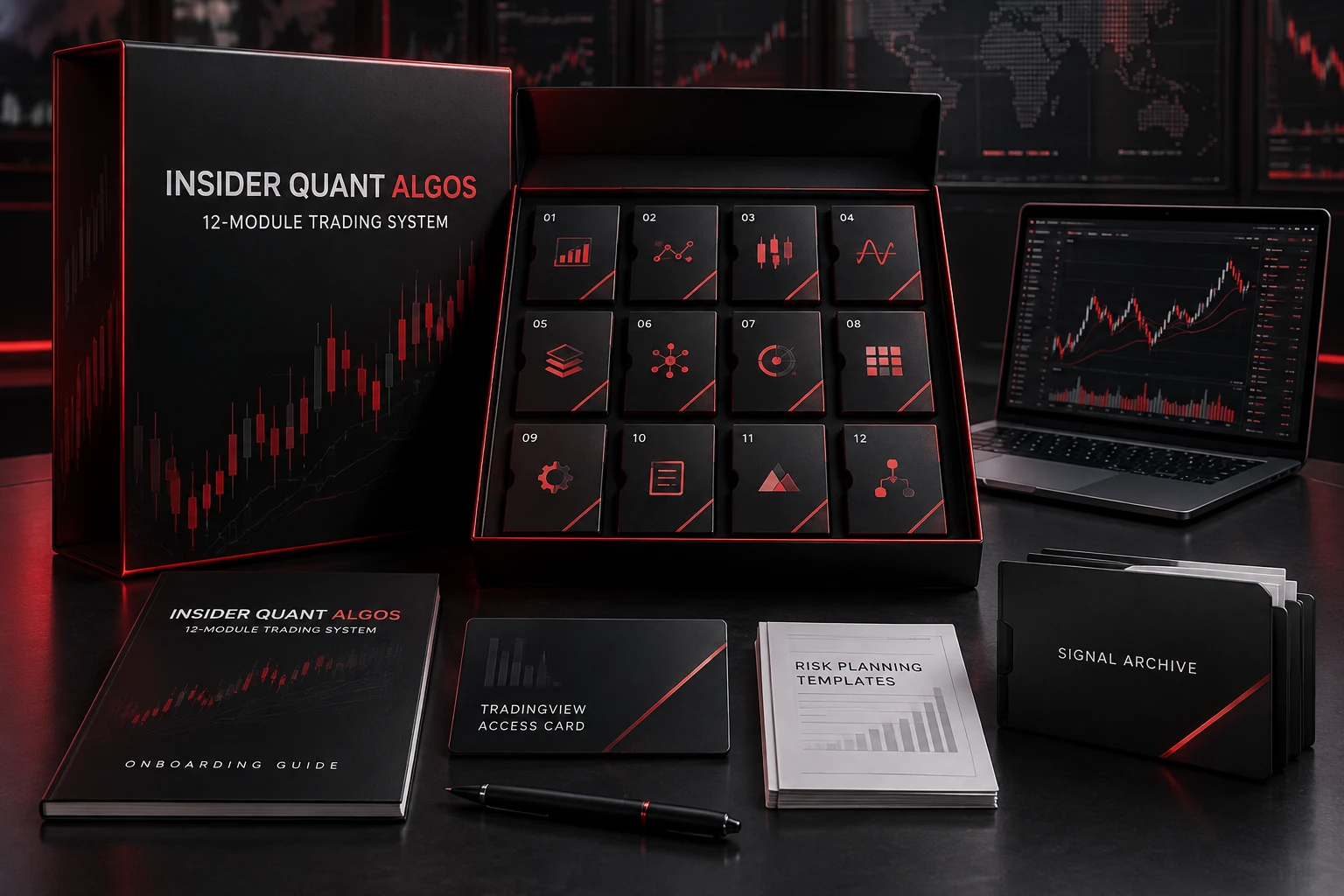
Built for the trader who is tired of being right on direction and wrong on execution. Insider Quant Algos organizes market context, entry logic, invalidation, size, alerts, and review into one repeatable chart workflow.
The offer is presented as an indicator and alert workflow. Auto-execution should remain off unless a separately tested, disclosed, and legally reviewed broker bridge is connected.
It is a design objective: screen for defined invalidation and selective timing. It is not a promise of low drawdown. Verified maximum drawdown stays blank until supported by an auditable record.
No. The name refers to institutional-inspired quant structure using public data. There is no affiliation with a Wall Street firm and no confidential information.
For forex, stock, index, and crypto traders
You need a consistent way to decide when the context, location, trigger, and risk actually belong together. The system is designed to make that decision visible before money is exposed.
Pre-map the zone and wait for the condition instead of buying urgency.
Keep one scoring language across trades so the sample can teach you something.
Put setup quality and risk limits in front of the urge to make it back.
Separate context tools from entry tools so every chart element has one job.
Calculate exposure from a written account-risk limit and a real invalidation level.
Surface overlapping exposure before correlated markets magnify one idea.
Build alerts around named conditions instead of treating every notification as a trade.
Keep the setup state, invalidation, session, and decision context available for review.
Calm does not come from knowing the next candle. It comes from knowing your condition, your invalidation, your size, and your reason to stay out.
The root cause: decision fragmentation
A trader can read direction correctly and still enter late, size emotionally, ignore correlation, or move the stop. Insider Quant Algos addresses that gap with one connected Quant Decision Stack. It does not predict the future. It makes the required decision sequence harder to skip.
Trend, range, compression, expansion, or unstable conditions.
Mark liquidity and structure before searching for a trigger.
Reject volatility, spread, news, or session conditions outside the plan.
Show which configurable confluence rules passed and which failed.
Place the level that proves the idea wrong before the alert becomes an entry.
Compare target distance with actual risk without calling the target an outcome.
Separate a bad outcome from a broken process and keep both in the record.
Open the box
The suite separates signal, context, risk, and utility tools so one chart does not become a pile of conflicting indicators. Each module has a specific job and a visible role in the decision stack.
Connects regime, liquidity, volatility, confluence, invalidation, and targets.
Maps candidate sweeps and waits for a defined confirmation state.
Organizes trend, compression, expansion, and transition conditions.
Displays configurable confluence checks and a transparent entry sequence.
Combines multiple trend measures into readable context without forecasting.
Flags volatility and spread conditions that can invalidate a planned setup.
Keeps major sessions and overlaps visible for timing context.
Surfaces potentially overlapping positions before one idea multiplies.
Plots entry, invalidation, and configurable R targets as scenarios.
Designed for licensed calendar data and user-controlled blackout windows.
Prepares setup context for structured review and future journal export.
Documents trigger conditions before a TradingView alert is created.
Configurable R-target scenarios
Model 1:10, 1:20, 1:30, 1:50, or custom 10:50 scenarios inside the planning tool. These are target-distance settings—not promises that price will reach them or that any setup has a high win rate.
A very high target can reduce the frequency of target completion. Win rate, slippage, spread, execution, and drawdown must be evaluated together.
The proof serious traders look for
Anyone can draw a perfect entry after the move. Credible evidence preserves the original timestamp, market, timeframe, entry condition, invalidation, and targets, then pairs that plan with the untouched outcome.
Proof vault
Connect an independent, dated report that states methodology, fees, spread assumptions, sample size, and the full measured period.
Redact private identifiers, retain losses, and label results as live, simulated, or hypothetical.
Keep original alerts, their final outcomes, and the setups that invalidated or expired.
Connect permissioned subscriber screenshots and explain the market, timeframe, setup, and user decisions shown.
Verified subscriber evidence
Publish verified subscribers, dates, experience level, market context, and permissioned screenshots. Rewards for legitimate reviews must never depend on star rating or positive sentiment.
Connect a verified subscriber review feed to activate star ratings, review counts, customer photos, and contextual quotes. The page will remain blank until the evidence is real.
One offer. One payment method.
Pay with crypto through the product’s Whop checkout. Once the payment is confirmed, Whop grants access to the community, onboarding, indicator links, setup guidance, and TradingView access instructions.
One-time payment · does not auto-renew
Use the complete decision stack in your own workflow for seven days. When the access period ends, buy another pass only if you choose to continue.
Whop confirms the transaction and controls access. Exact supported coins, network fees, refund terms, and the seven-day expiration appear before payment.
Read before paying
No. Those are not guaranteed outcomes. The software can prioritize selective, defined-risk entries, but every system can experience losses and drawdown. Verified metrics should appear only after an auditable track record exists.
Complete the crypto checkout while signed into Whop. When Whop confirms the payment, the Insider Quant Algos product appears in your Whop account with the community, onboarding, indicator links, setup instructions, and TradingView access steps.
No. It is a one-time payment for seven days. Access expires at the end of the paid term. If you want another seven days, you purchase another pass yourself.
The live Whop checkout shows the coins and networks currently available for your account and location. Confirm the asset, network, amount, and network fee before sending payment.
Inside the paid Whop product, open the pinned Getting Started instructions and submit the exact username shown on your TradingView profile. Do not use your email address or a profile URL.
No. They are configurable planning scenarios. A target setting does not indicate the probability of being reached. Also, 10:50 simplifies to 1:5; the interface normalizes it so notation does not imply an extra edge.
No. It refers to institutional-inspired quantitative organization using public data. The product does not claim endorsement, use, sponsorship, or affiliation with any firm unless that relationship is documented and disclosed.
The decision framework is designed for active traders across those markets. Before paid launch, publish the exact tested symbols, data feeds, timeframes, TradingView requirements, alert method, and market-specific limitations.
Crypto transactions are irreversible. Any approved refund must be processed manually under the refund policy shown before checkout, and network or conversion fees may not be recoverable. Never send crypto to an address copied from a message or direct message.
No. The product is general analytical software and education. It does not know your finances, experience, objectives, or risk tolerance. Seek appropriately licensed professional advice where needed.